Inside Projection Mapping Software and Blending Tools
Media servers, mapping suites and built-in fusion — what each tool layer does, when you need it, and where all-in-one systems replace the rack.
The Toolchain, Layer by Layer
- Media servers play the show: synchronized playback across projectors, show control, scheduling. The professional standard for large mapped productions.
- Mapping & warping software fits content to geometry: grid warps, masks, keystone — the digital pliers of the trade.
- Blending engines feather overlapping projector edges into one seamless canvas.
- Show control triggers scenes by time, sensor or DMX — the automation layer.
When You Need the Full Rack — and When You Don't
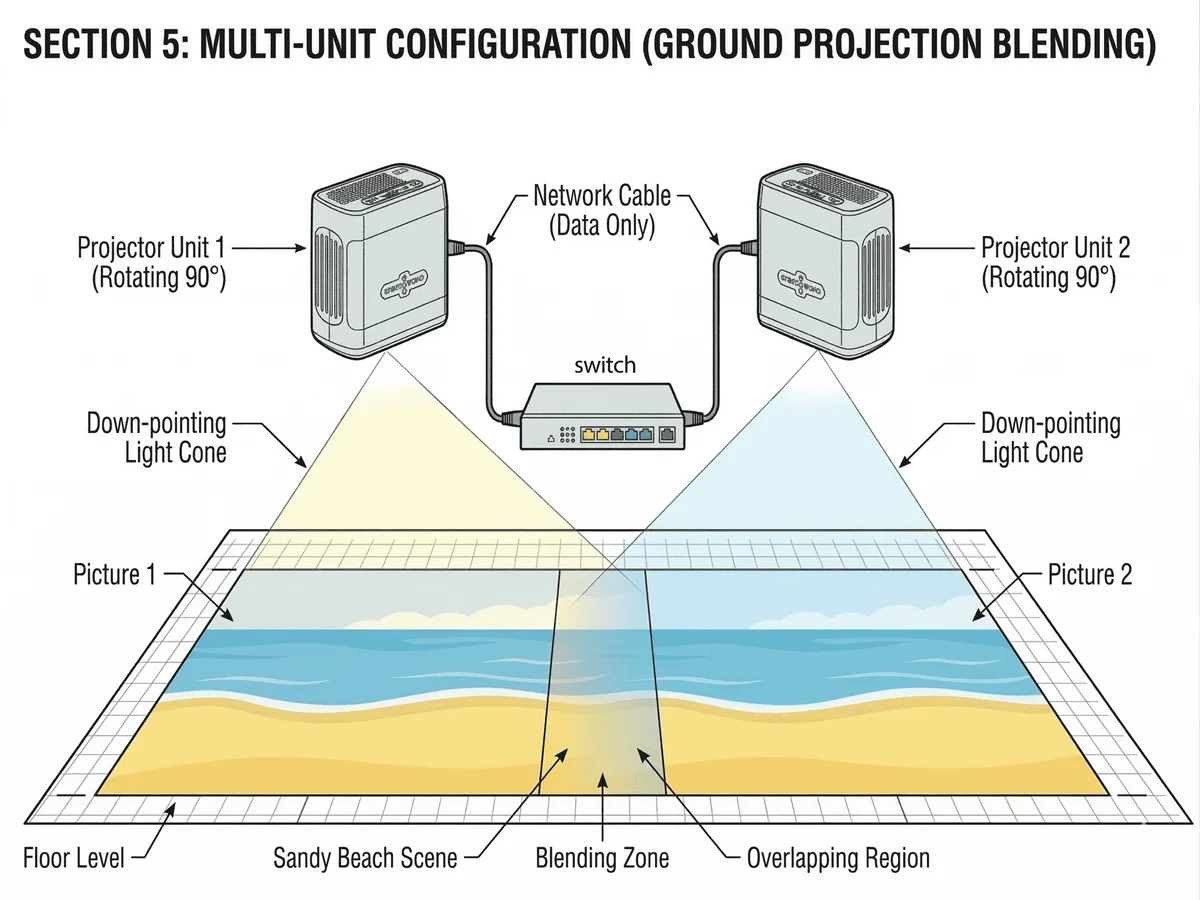
Large architectural shows with bespoke films justify a media server pipeline. But most venue projects — interactive floors, immersive rooms, wall scenes — don't. Modern all-in-one systems integrate playback, fusion and show scheduling inside the projector itself: connect units to a switch, run auto-calibration, and the rack disappears.
What to Look for in Built-in Tools
- Auto-blend calibration with manual fine-tuning at every seam
- Grid (mesh) correction, not just keystone — real rooms are rarely rectangular
- Scene scheduling and sensor triggers without extra licenses
- Canvas-resolution content support for multi-unit fusion
Our systems ship with all four built in — see the fusion setup guide for the practical workflow.